 Trick4Funz' Den
TEXTURE SWAPS TUTORIAL:
How to change the textures of any tank you want ? Here's the full tutorial and the assets you'll need : Firstly you'll need the 7-Zip software, this will allow you to access the intricate packages of wot
1 - RES AND RES_MODS
Firstly go to your wot folder, when you're there, we will look at 2 files: res and res_mods.
Go into ?:/WOT/res_mods, pick the latest version all the way down.
To facilitate this tutorial download my mod in the "my mods" section, extract the "vehicles" folder in ?:/WOT/res_mods/(latest version) or just open the zip window and drag the vehicles file in the latest version
2 - HOW TO SWAP ?
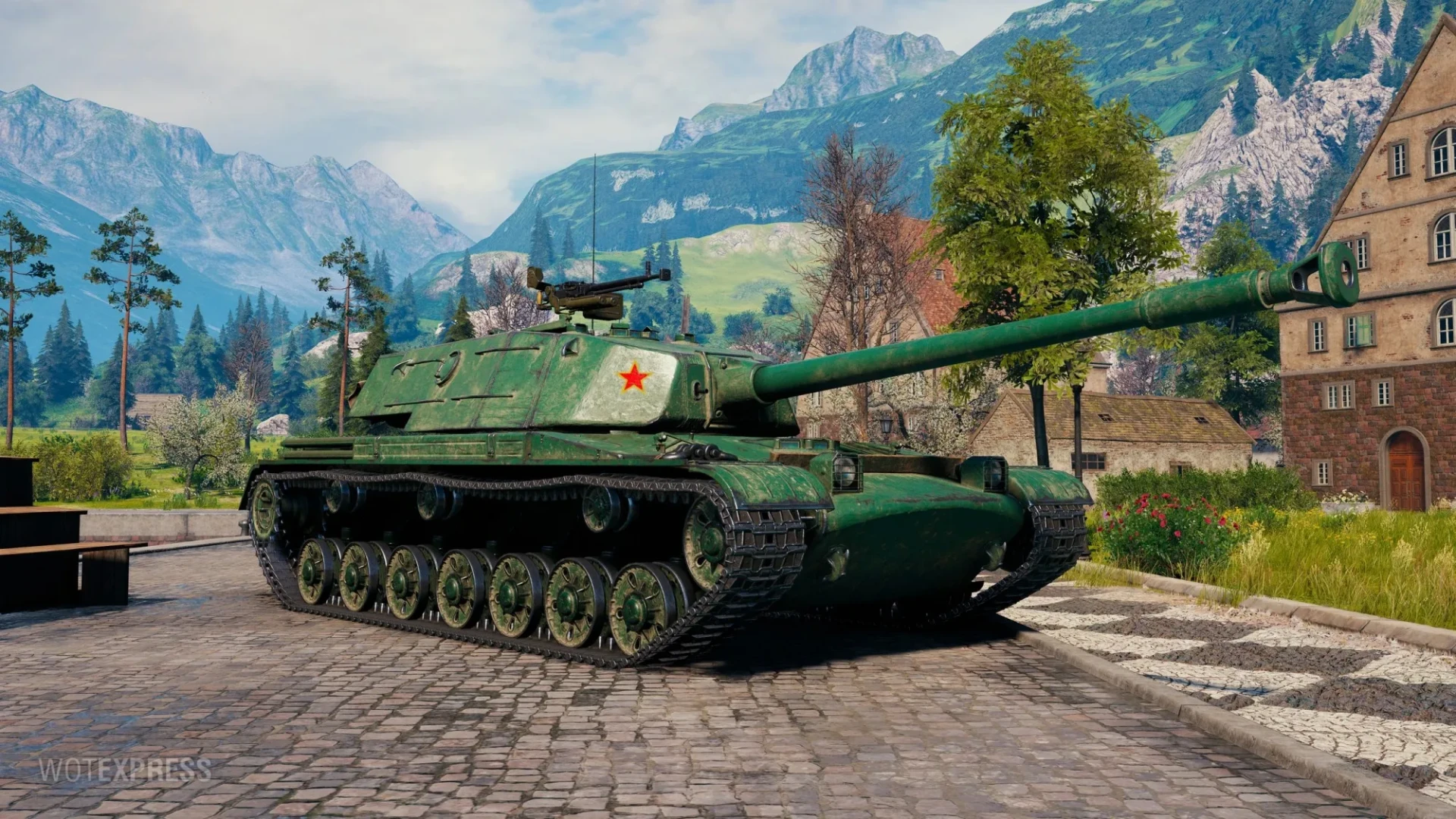
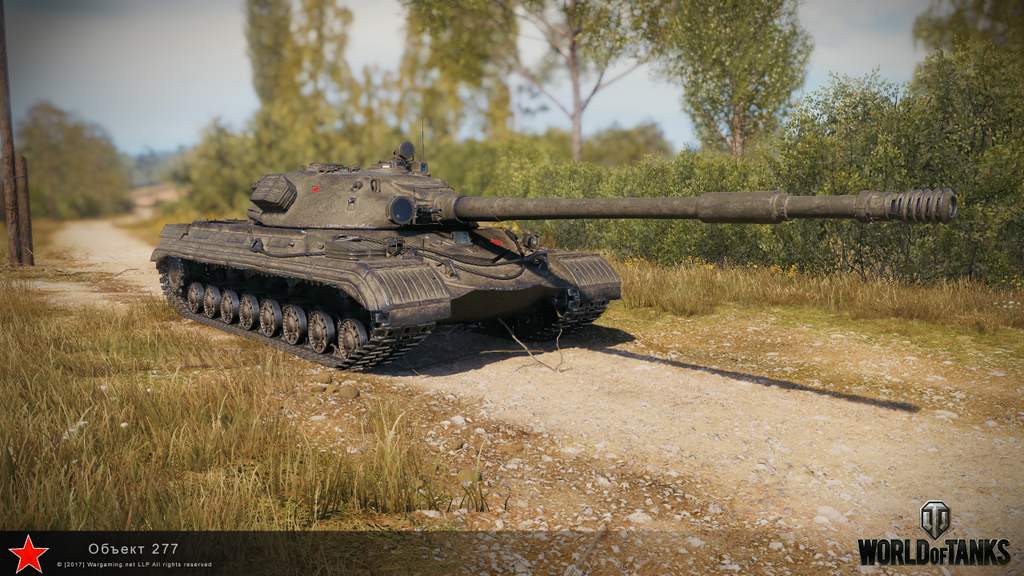
After that, to swap a texture, you'll need to first find the tank you want a better texture on, then you only need to search for a tank that has a similar shape in terms of the mantlet, for an example the BZ-58 and Obj-277 have similar shapes :
Of course that's if you want your swaps to look good, you can also do absolute dum shit like this for an ex:

So what you want to do, is go in 7-Zip (a white page) put in the address of your game on the top bar, could be C:/games/WOT
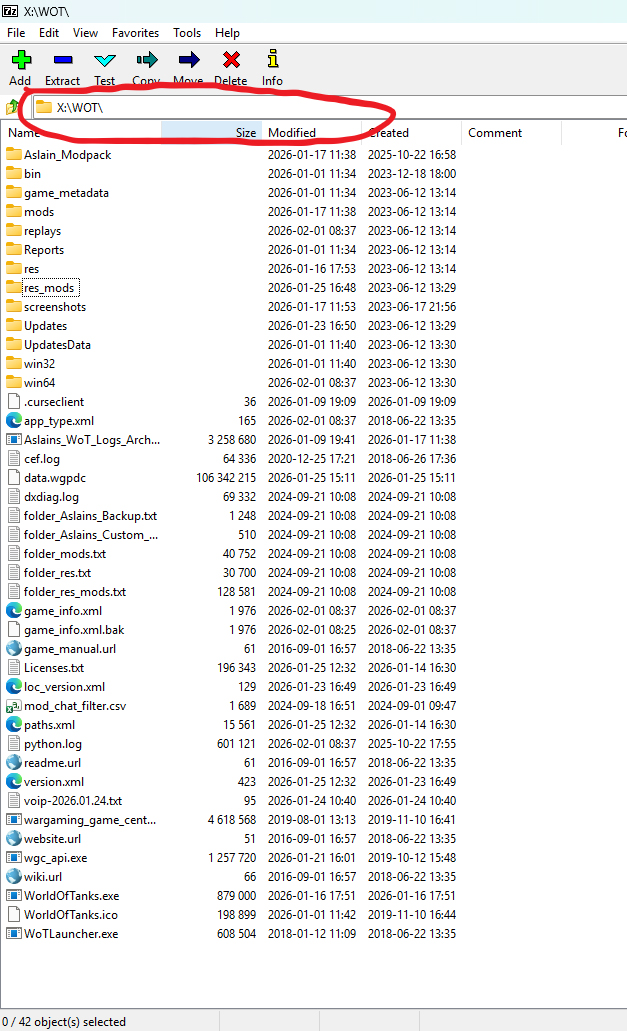
Then go into res --> packages, scroll all the way down, and you'll see this :
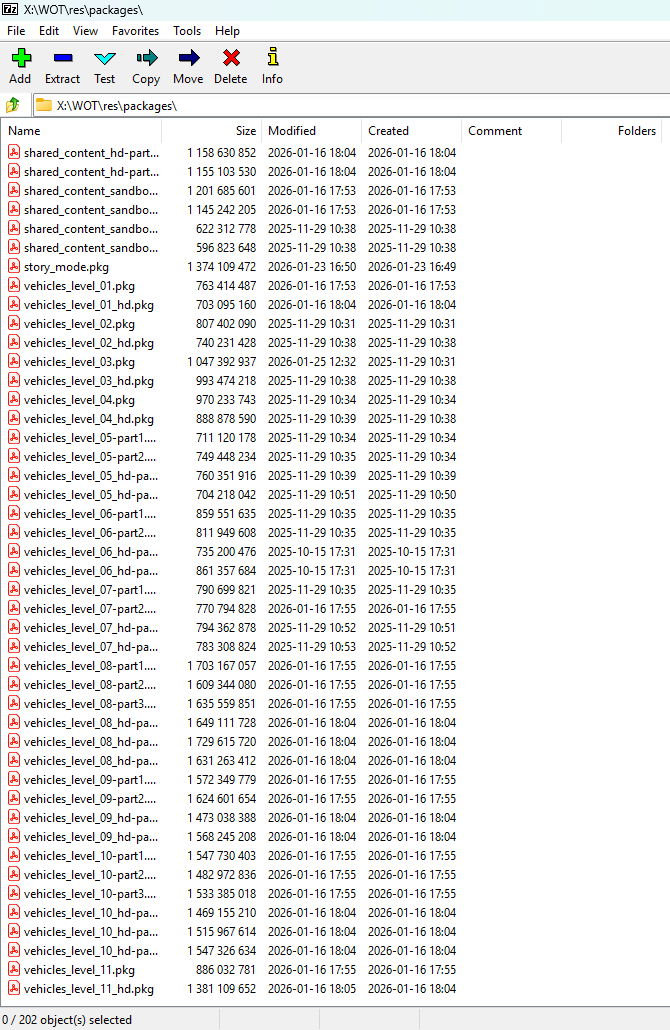
These packages mean every tier, for an example : vehicles_level_07_part_1 is a part of the files of every tier 7 vehicles, so what you want to do, let's imagine you want the obj 277's gun on the BZ-58, firstly go in the tier the tank you want to swap is in, in our case it's :
vehicles_level_07-part_1 --> vehicles --> chinese --> Ch51_BZ_58
go back in file explorer, create a new folder in res_mods in
vehicles --> chinese
add a folder called Ch51_BZ_58, then go back in 7-Zip find the tank you need the gun, in our case :
vehicles_level_10-part_1 --> vehicles --> russian --> R155_Object_277
there will be a "normal" file there and some textures, drag that normal folder in your newly created folder in the file explorer
do the same for every part so :
vehicles_level_10-part_1 --> vehicles --> russian --> R155_Object_277
vehicles_level_10-part_2 --> vehicles --> russian --> R155_Object_277
vehicles_level_10-part_3 --> vehicles --> russian --> R155_Object_277
minimize the 7-zip window for now, only post processing left : go inside the normal folder there will be:
LOD 0
LOD 1
LOD 2
LOD 3
LOD 4
delete every folder but LOD 0, go inside LOD 0, you'll see various files like :
hull.visual processed
gun_01.model
turret_01.model
chassis.visual processed
etc...
if you want to only swap the gun, delete every file apart from the gun_01 (it can be any number).
Now it's mostly done, the only thing left is to launch wot, if your texture doesn't load it's normal because it's the wrong number.
Go back to 7-zip and to vehicles_level_07-part_1 --> vehicles --> chinese --> Ch51_BZ_58 --> normal
and check how many gun files there are, there will be something like:
gun_01.visual processed
gun_01-model
gun_02.visual processed
gun_02-model
gun_03.visual processed
gun_03-model
(premium tanks tier X and XI only have gun_01)
Now that you know the number of gun models, go back in file explorer and change the gun_01 files you have and rename them to 02 (for every LOD), check on wot, choose another tank then back on the BZ-58, No texture ? rename them to 03 and normally you'll get your texture, all done, well played if you got to here.
If you're struggling to understand through this written tutorial, check incoming's video, just single out the renaming of the textures and dragging the textures since it's useless, only do LOD 0.
3D STYLES ASSETS AND FILES FROM MIR TANKOV:
This page will be dedicated to Giving you all mir tankov files of the tanks that aren't on wot :
there are 2 downloadable folders, one will give you all tanks from tier V to VIII the rest will give you from tier IX to XI
little tip : NEVER SWAP THE CHASSIS FILES PLS.
DOWNLOAD THE ASSETS DOWN HERE:
When you download, there will only be the _hd.dds you will have to remove the _hd this will allow your mod to work for SD and HD versions, and make your swap as qualitative as possible. (downloads will take a long time)